AI Design System
Vivo Studio
Founding designer
- Vuetify-based design system as code
- Design system showcase site
- Wireframe to production code pipeline with agent rules and linting
Design system as code
When I saw how easy it was for my technical cofounder at Vivo Studio to define the app's theme in Vuetify, it ruined Figma for me. Things that would have taken hours or days of clicking were done instantly with a little typing, a very little typing. I was deeply inspired, how could I manage the design system as code and stop wasting time managing Figma components? Taking it one step further, if I manage the design system as code, I could leverage it to define the visual style for AI agents to use to generate visually consistent designs and clickable prototypes from prompts and save massive time bringing my designs to life and to users.
With some experimentation, I architected this approach: define and manage the design system in Vuetify as code with a visual showcase, feature drafting area, agent guidelines, and quality linting. Sync the design system files as they evolve to the app. Import feature frontend drafts ad hoc for code review and wiring up the backend. Feedback on the code review is used to improve and extend the linting.
It's compressed feature design time including frontend development to a single day and the old back and forth to redesign for better feasibility or fix visual issues is simply gone.
VivoSkillz design system managed in a Vuetify showcase and feature design space imported to the app. Rules and linting ensure code quality.
As little styling as possible
In styling the design system, my goal was to set styles at as high a level as possible so that theming and white labeling would work seamlessly.
The base colors and typography are defined as tokens in json, the vuetify theme consumes them at runtime to generate its system of colors. I'm adding a few overrides in the scss to keep the primary tints clean and reduce harshness in borders. Opinions about how to inhabit Material are expressed in the defaults while more complex repeatable compositions are defined as components.
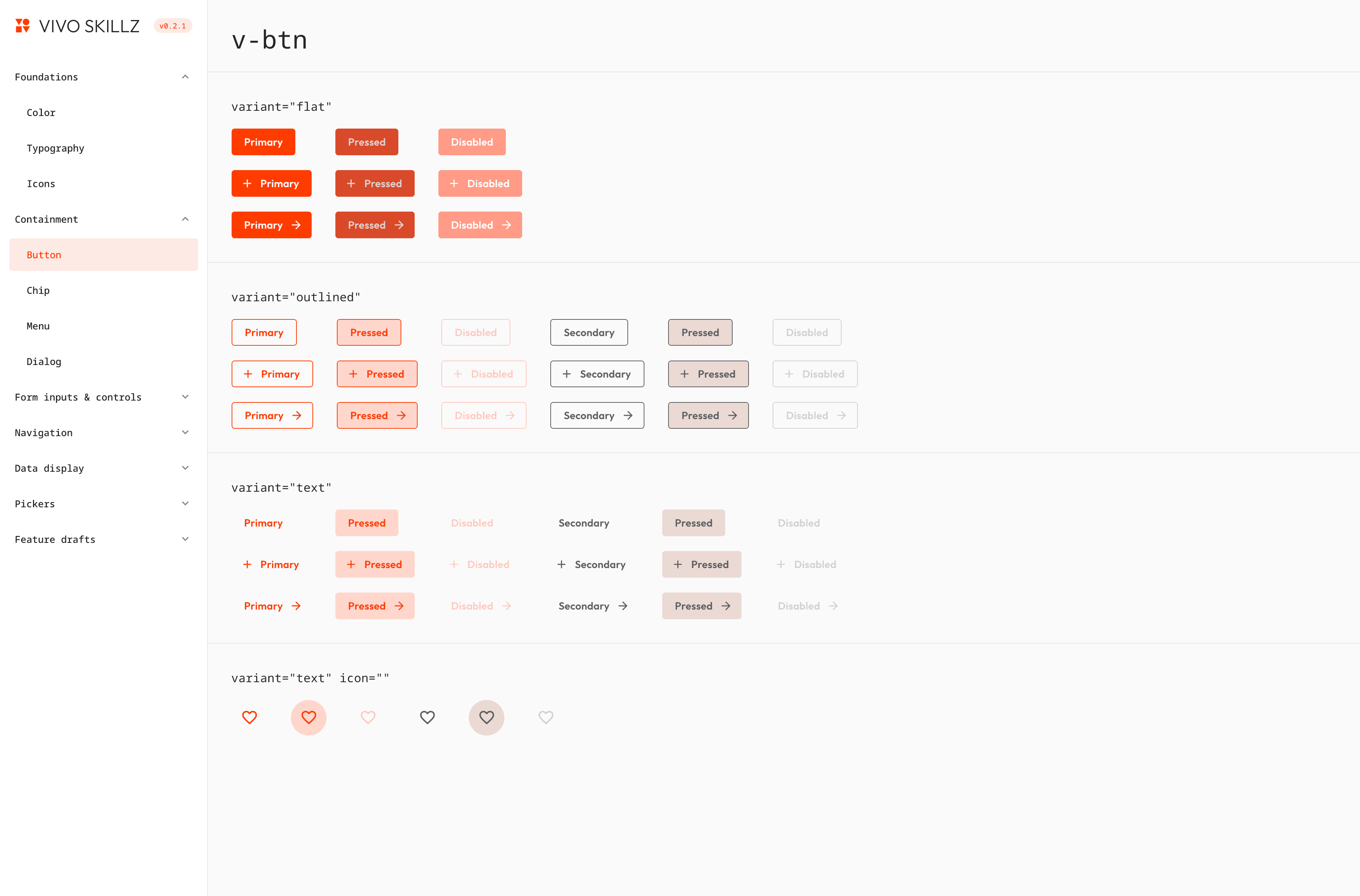
Visual showcase and workspace
I'm not using Figma for defining or managing the design system but I still wanted a place where I could see dense grids of the components to get an overview of how they would look across many variants and states at once. The Vuetify showcase serves this purpose. In the showcase, I can quickly see how high level style changes effect the components and display only the Material variants relevant to our system.
The showcase styling and components are logically separated from the design system so the package can be exported cleanly.
Wireframe to code generation
Once I had the design system defined in Vuetify, I was ready to start generating frontend code from wireframe sketches. I dashed off my rough idea for the next feature, a checklist for class instructors to record student skill progress.
Then I created hierarchically referenced guidance for the AI in:
detailing the policies of avoiding boilerplate and using the components in the system.
AGENTS.md - ui-rules.md - design-system-index.mddetailing the policies of avoiding boilerplate and using the components in the system.
This complicated approach failed. The screen generated did not use the system components, inventing its own app bar and table for example, and did not adhere to the sketch, adding many new details such as a "MASTERY SCALE" legend, and a "Competency" average column.
So, I radically simplified the guidance, shortened the ui-rules and removed the index, emphasizing matching the sketch. The next round was what I was looking for. The simple implementation of what I had sketched but now in the app's actual frontend framework and theme.
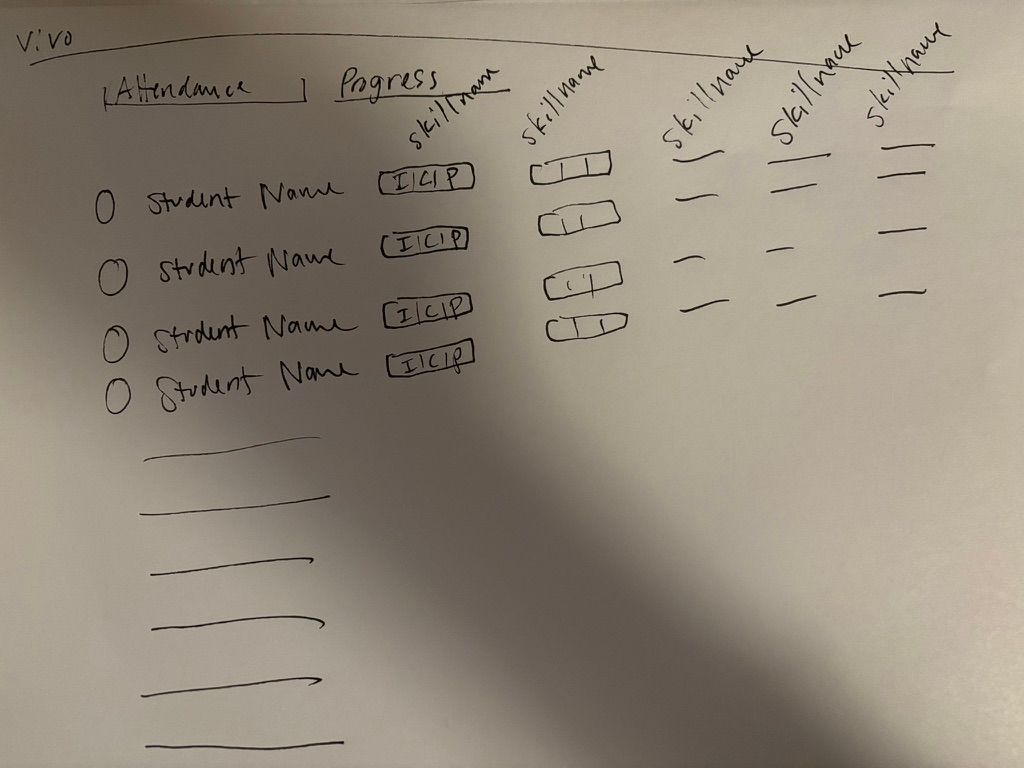
How rough can a starting wireframe be and still generate UI effectively? Pretty rough.
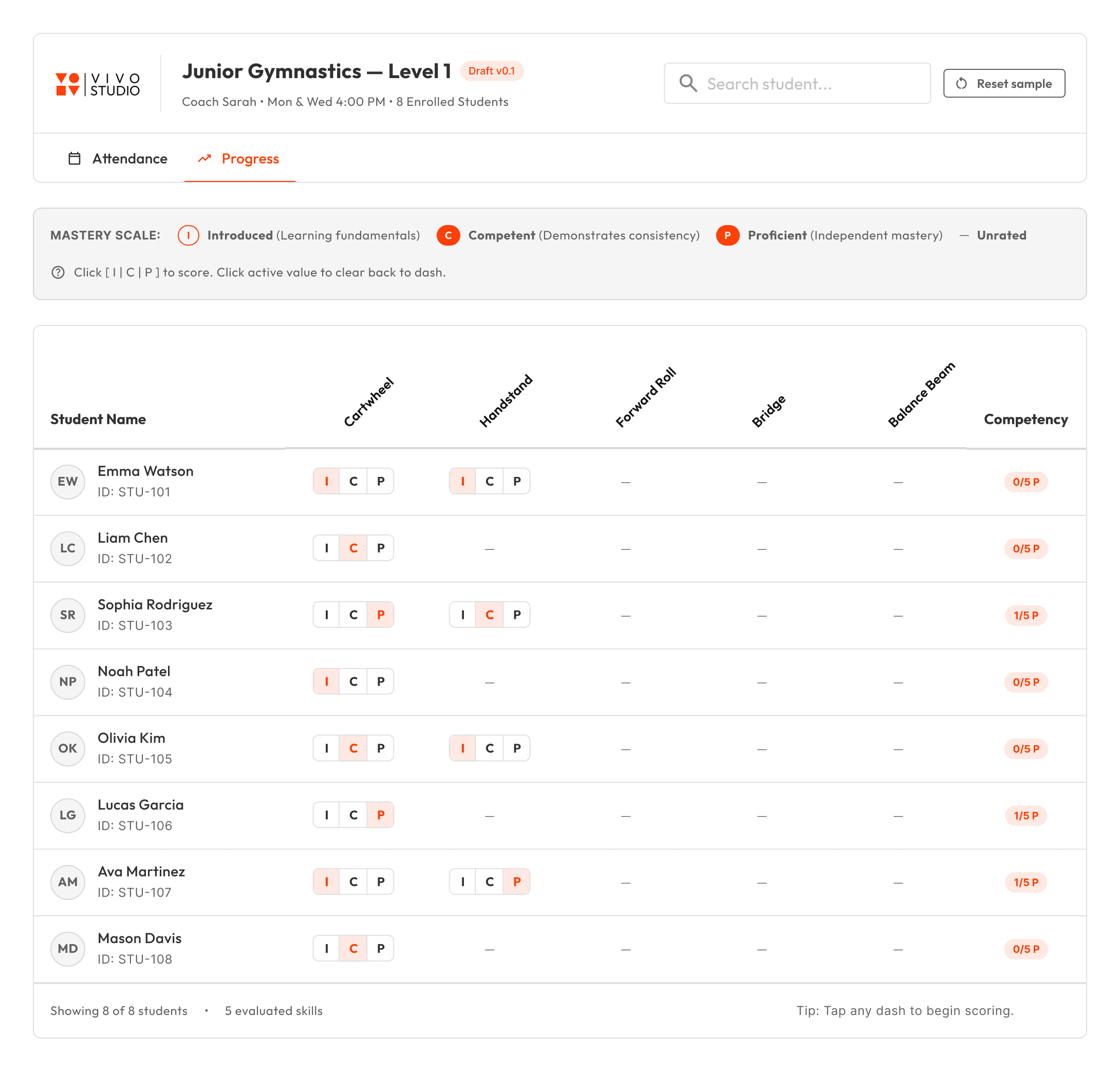
Complex agent rules: lots of additions not in the sketch and not using standard components like appbar or table.
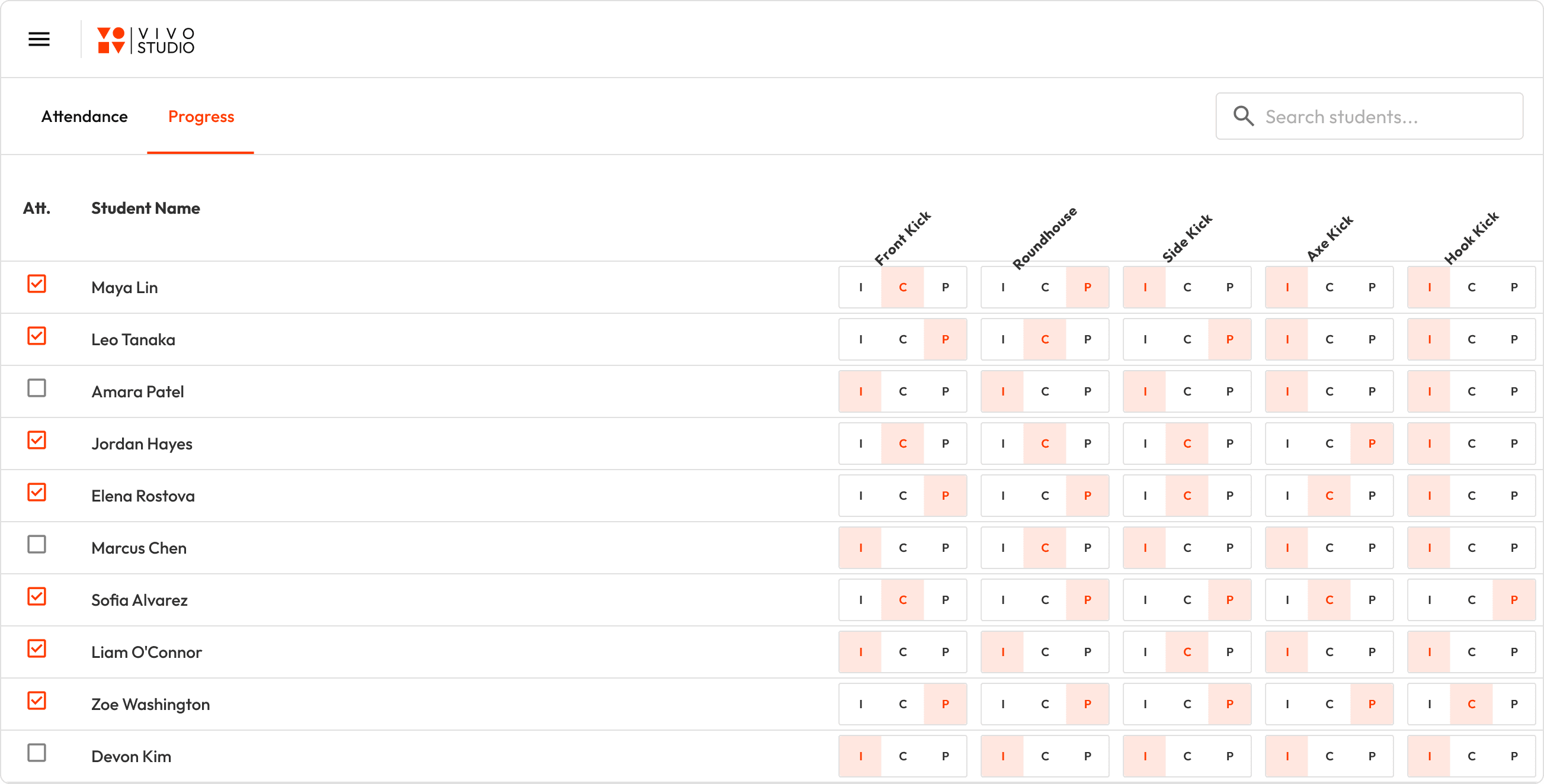
Simpler rules, better first draft.
Final iteration
Working in the showcase feature draft area, I collaborated with an AI coding agent to evolve the design. From the start, it was clear to me that the labeled button group concept was too busy. I also realized that the design needed to balance being extremely easy to edit for instructors during breaks but also not accidentally edit while handling a tablet in a busy studio.
I found both with an individual edit mode that uses the position of the selected button to stand in for the proficiency scale (Introduced, Competent, Proficient) and a bulk edit mode that uses the same chips as the display mode. These refinements were lightning fast compared to composing and editing tables in Figma.
The design process was also different in that, I immediately knew what was trivial in Vuetify or not. The diagonal headers were abandoned for this reason and a sticky first column substituted to make the most of horizontal real estate.
The edit and bulk edit flows for Instructor Class View
Linting rules
Once the iteration was done, I checked the code into a feature branch of the app and made a merge request.
Based on code review feedback, I added a linting pass with eslint as required for the feature draft generation, just like a successful build. For example disallowing style blocks, style attributes, hard coded hex and px values, and use of native HTML elements where Vuetify equivalents exist. Running deterministic checks with errors was much more effective at improving code quality than writing complex rules.
This workflow will allow us to continuously evolve the design system without the traditional maintenance overhead and potential for drift that comes with authoring the visual design in one tool and implementing the components and designs in code. We can also continuously refine the linting so that quality issues can be solved programmatically.
With the design system as code pipeline, feasible designs come together faster, ready to test with users at high-fidelity with significantly less effort all around, yet higher quality and better usability. I feel like I am designing at the speed of thought and working directly in the medium of UI composition.
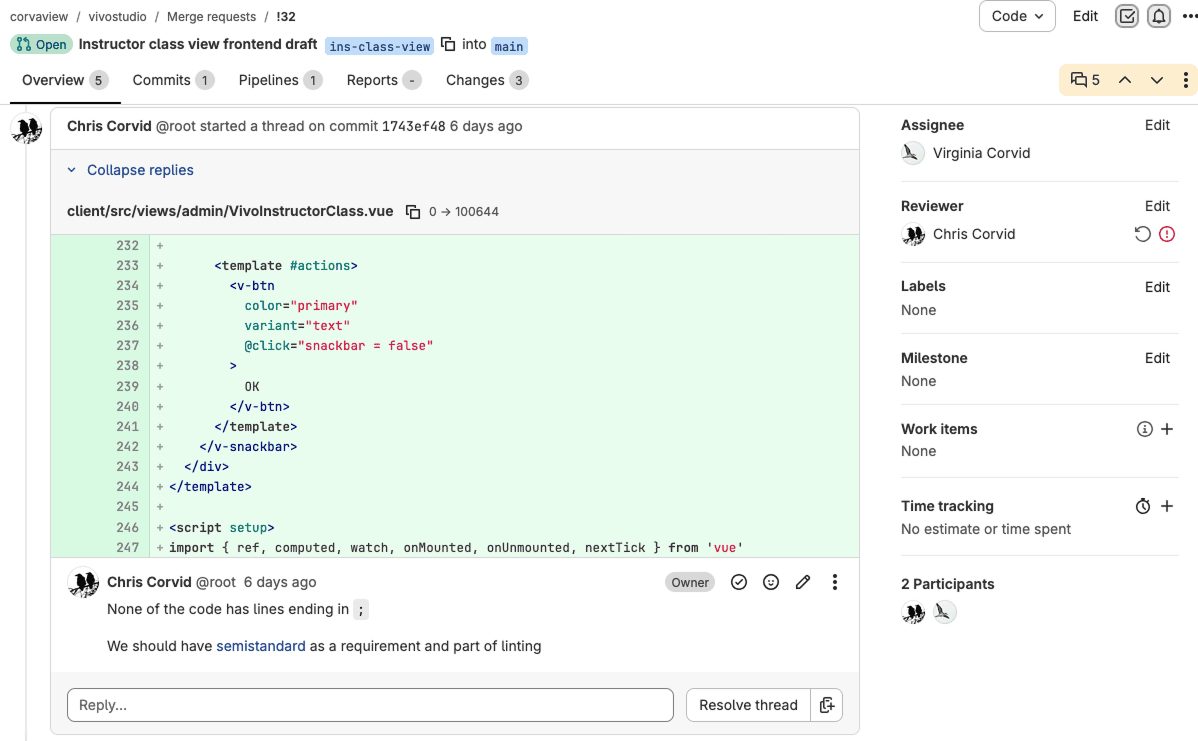
Merge request and code review in Gitlab