Oracle Cloud Usability
An efficient pipeline for usability fixes reduces errors and support cases for virtual machine creation and management.
Oracle Cloud Infrastructure
Senior Product Designer
- Usability program lead for the Compute service
- Identified usability issues, designed and tested fixes
- Defined, tracked, and reported on UX metrics
Usability execution pipeline
Oracle Cloud Infrastructure had been established for a few years and the Compute service team was looking to begin improving usability systematically. With my background of improving the internal developer experience at Tableau, I was brought on to found a usability program and address top pain points.
Partnering closely with engineering and tech support, I created a pipeline to identify and rank issues, design, test prototypes, and validate solutions based on usage analytics. Issues were identified via metrics, interviews with support and other staff, and user feedback. Usage analytics tracking was added to the console, monitored with Adobe analytics, and results were reported to leadership monthly.
11 solutions were designed, 7 released, and 5 validated, ultimately reducing top errors by 15% and the top support case type by 20%.
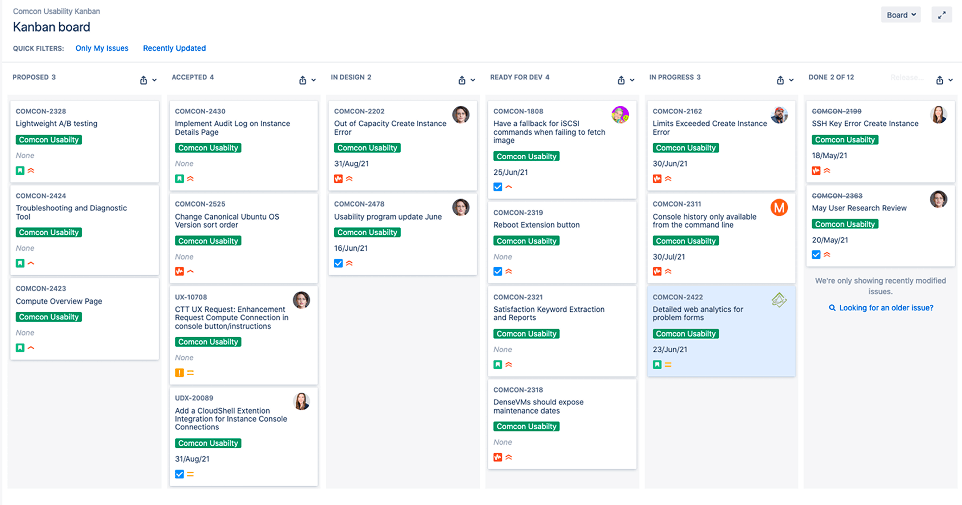
Usability work tracking kanban in Jira
Reducing SSH key errors
SSH key related errors were the top usability issue of the Compute Create Instance form. We tried clarifying the text but it didn't move the error rates.
Adding targeted inline errors for specific issues with supporting help text though was more effective and resolved 2/3rds of the SSH errors, reducing total server side errors by 15%.
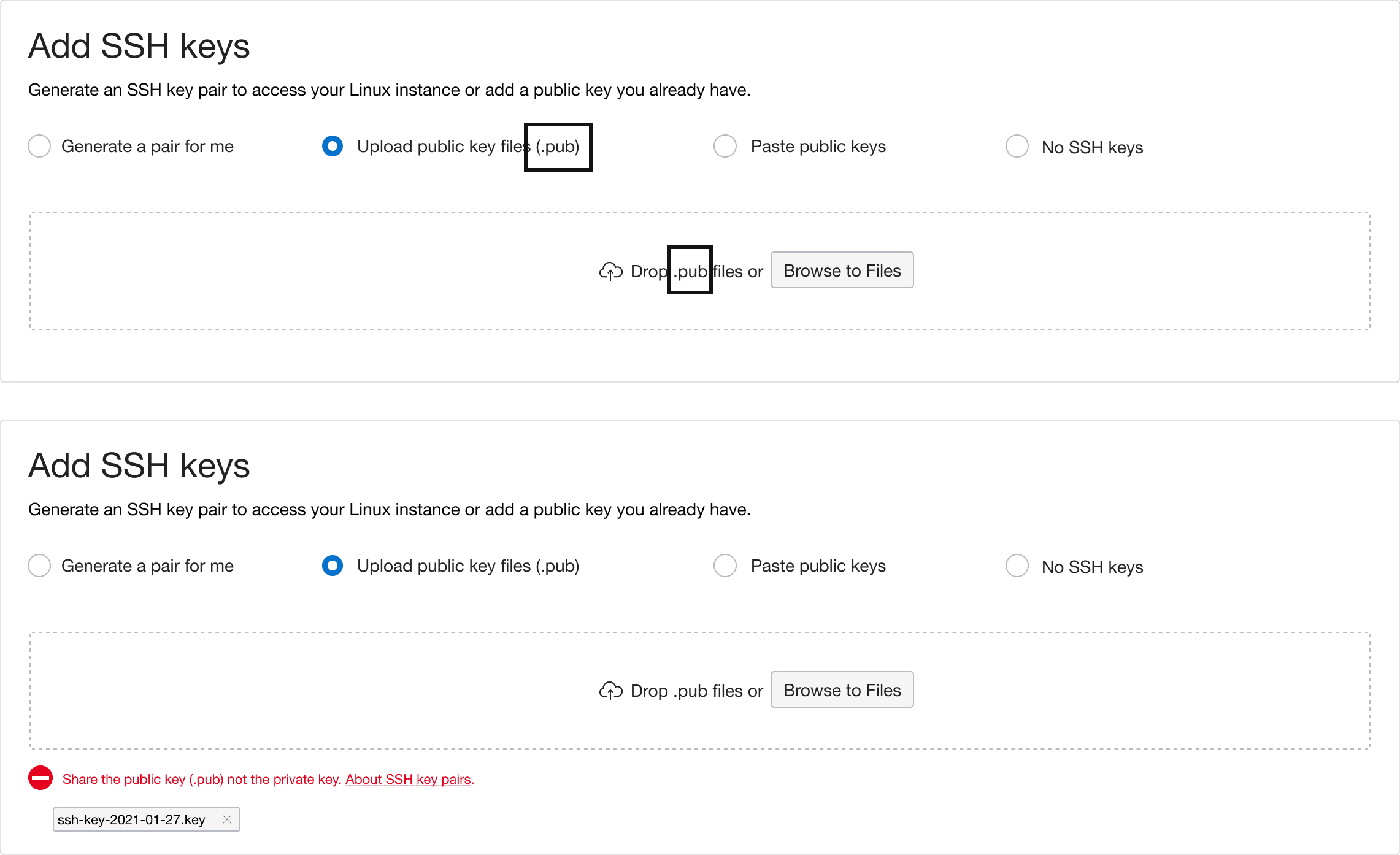
Text improvements vs. inline errors with targeted help
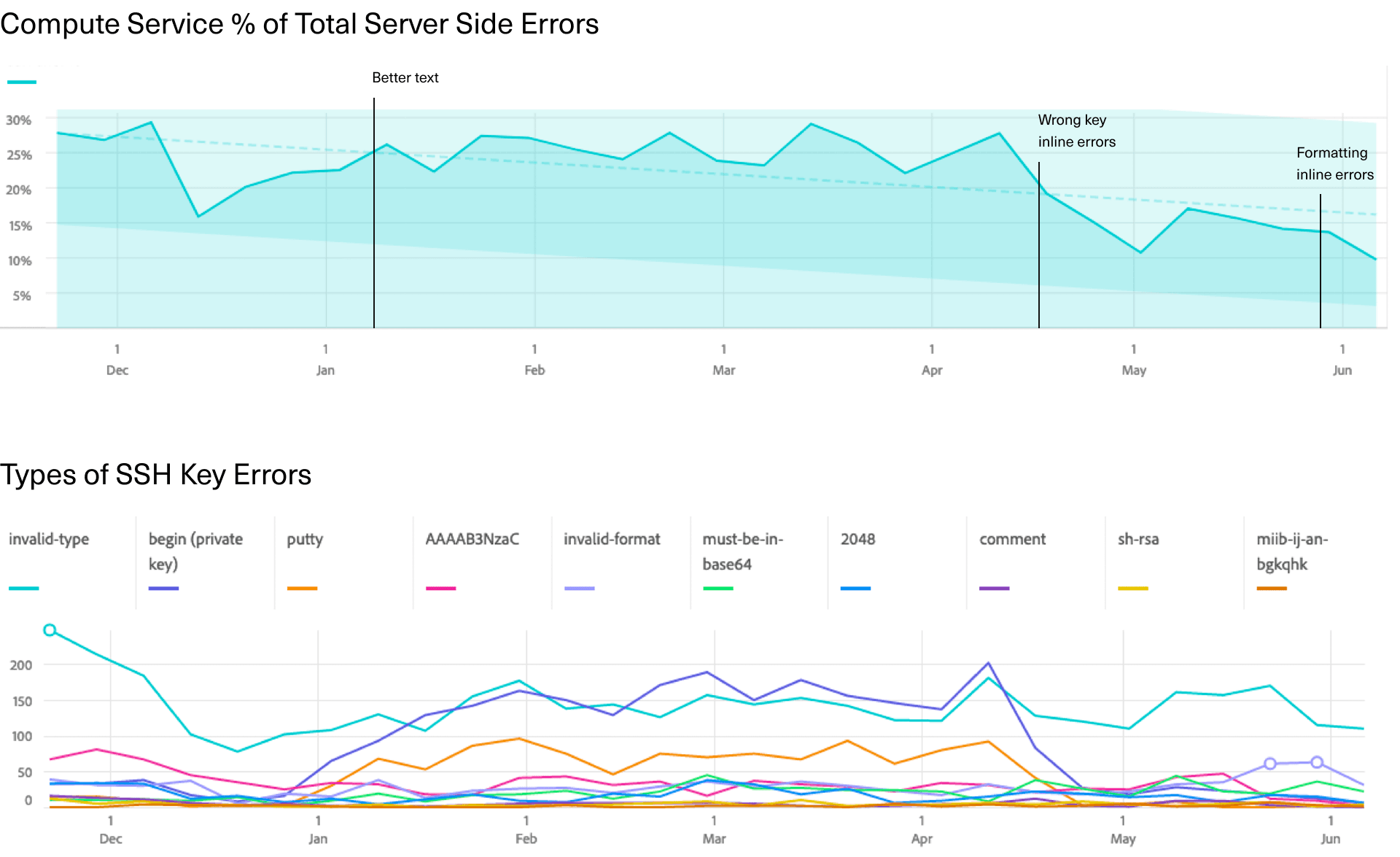
Error reduction as fixes were released
Support cases reduced with logs and web terminal
Troubleshooting instances relied on creating a serial console connection to remote in but inexperienced users could have difficulties setting it up, resulting in them creating support cases to get assistance. Setting up the connection required an hour long virtual meeting and could also require escalation to level 3 and another meeting.
The console history log added a way to view and save the latest console output so issues could be diagnosed without a connection and the Cloud Shell connection created a one-click setup for an interactive web terminal.
"Instance cannot be connected", the top type of support case, reduced by 20% and escalations to the Serial Console team reduced by 43%.
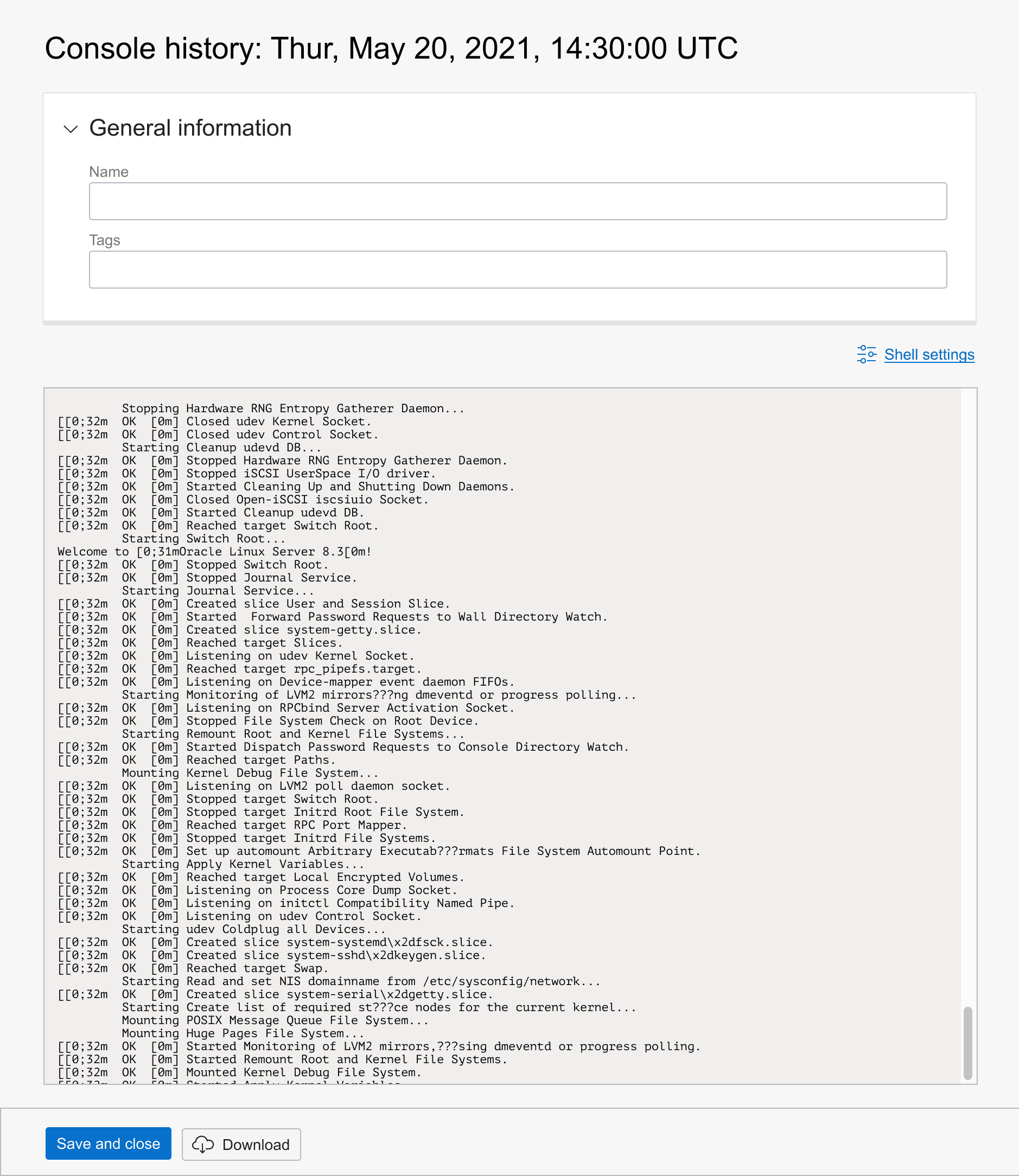
View and save console output
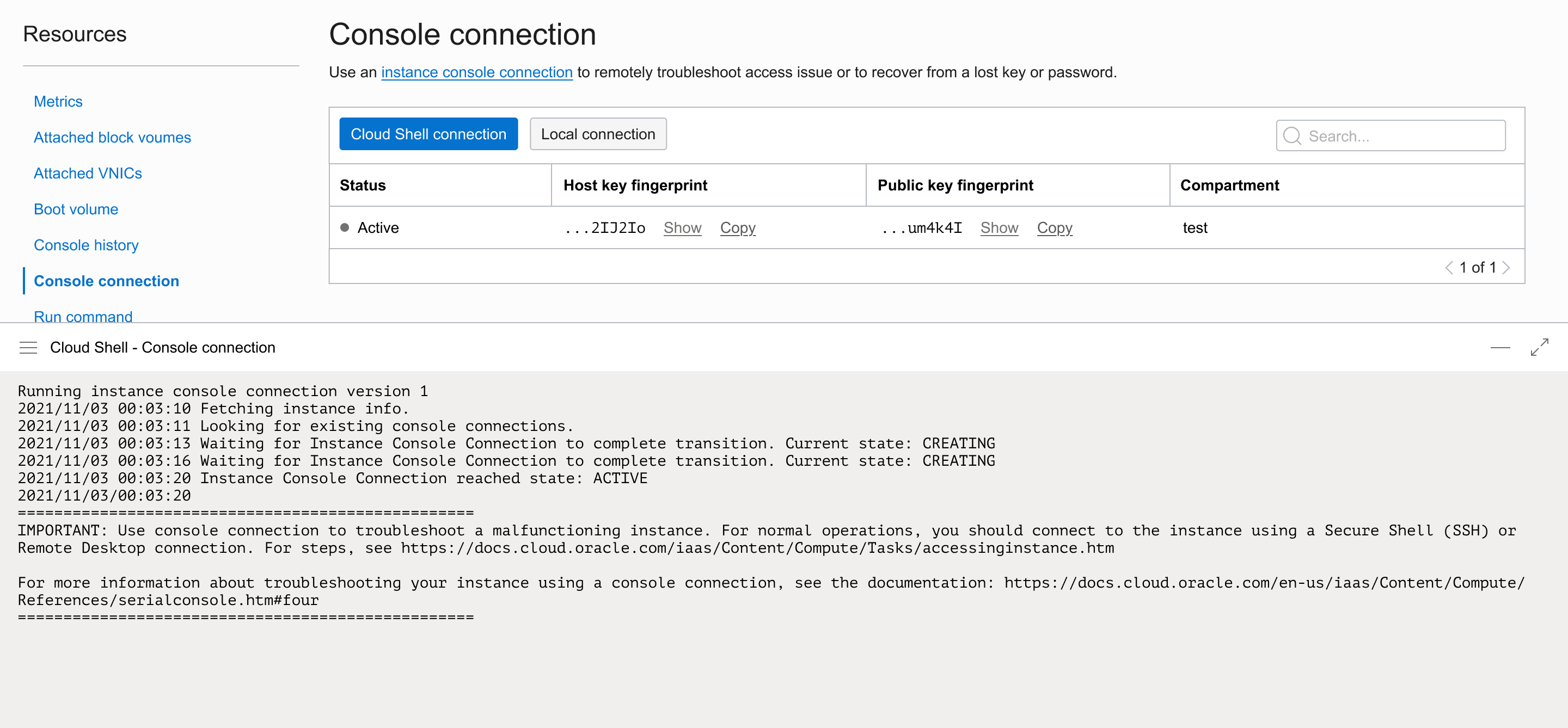
One-click web terminal connection to your instance
Password readability fixed
Windows machines required a password to log into them but in the platform font, Helvetica Neue, it was hard to distinguish some of the letters and numbers from each other.
We ran a test with 6 participants to try two different fonts with color coding to improve readability of I/l/1, O/0, and B/8/G and here's what we found:
- The B/8/G and the 1 didn’t cause any issues
- The serif fonts solved the I/l issue
- Color coding did not resolve the O/0 confusion
- The crossed zero font had the most problems because the O was more ambiguous
Based on these results, we switched to a monospaced serif font, removed zero and O from the password algorithm, and added a simpler color coding.
With these improvements, the readability issue in 64% of passwords for l/I and 0/O was fixed, making it easier to log into Windows machines.
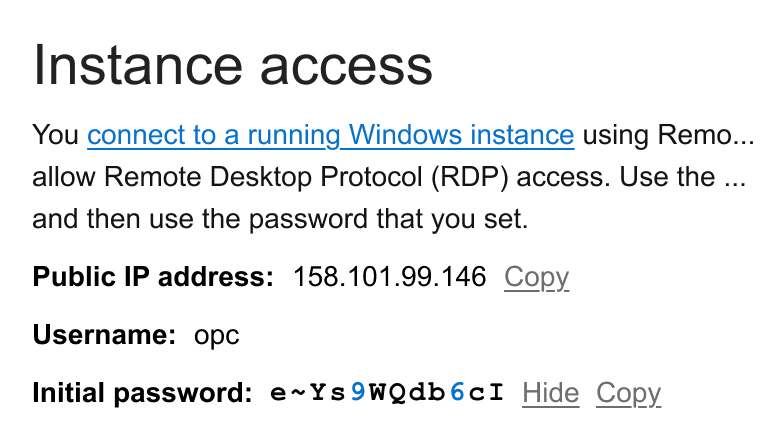
Password formatting: serif, mono, bold, and numbers colored
Automating "Out of capacity" solutions
"Out of capacity" was the most common error for the Compute service. Not only was demand for OCI scaling rapidly but there was also a hardware shortage. In the web experience users would need to pogo stick, repeatedly trying other locations or configurations to find available capacity. In API connections, scripts would hammer the infrastructure attempting to create instances until it succeeded.
While data centers were being built out, the goal was to automate finding available capacity as much as possible while respecting that the user might still need to precisely control different aspects of the instance. In the web experience design, letting Oracle choose the availability domain was made default but overridable. When capacity was not available, instead of giving an error, options for similar available configurations were presented or the ability to schedule a re-try at another time was given. The design also included parity for API/SDKs/CLI, however, implementation stalled on backend work and it was never released.
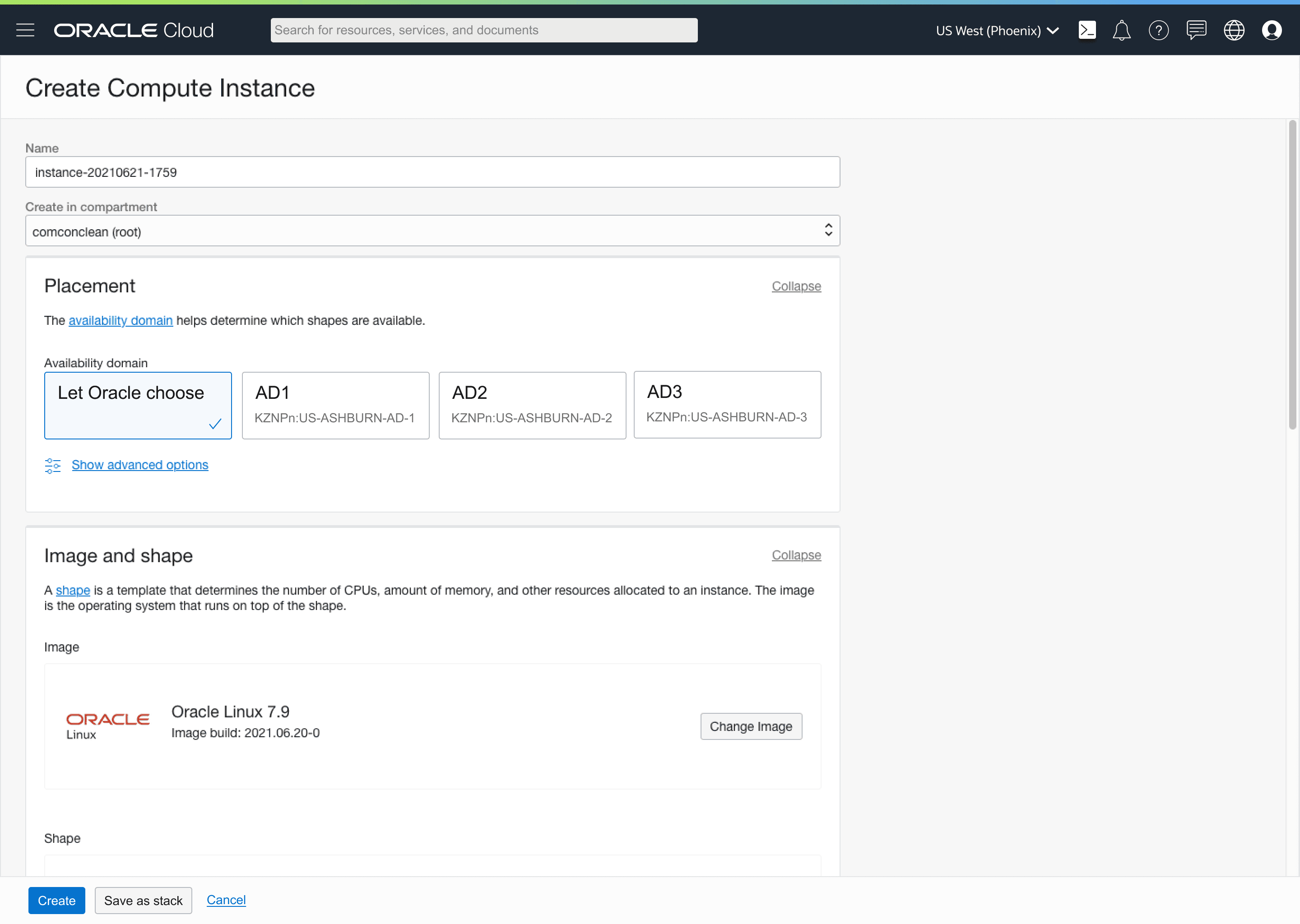
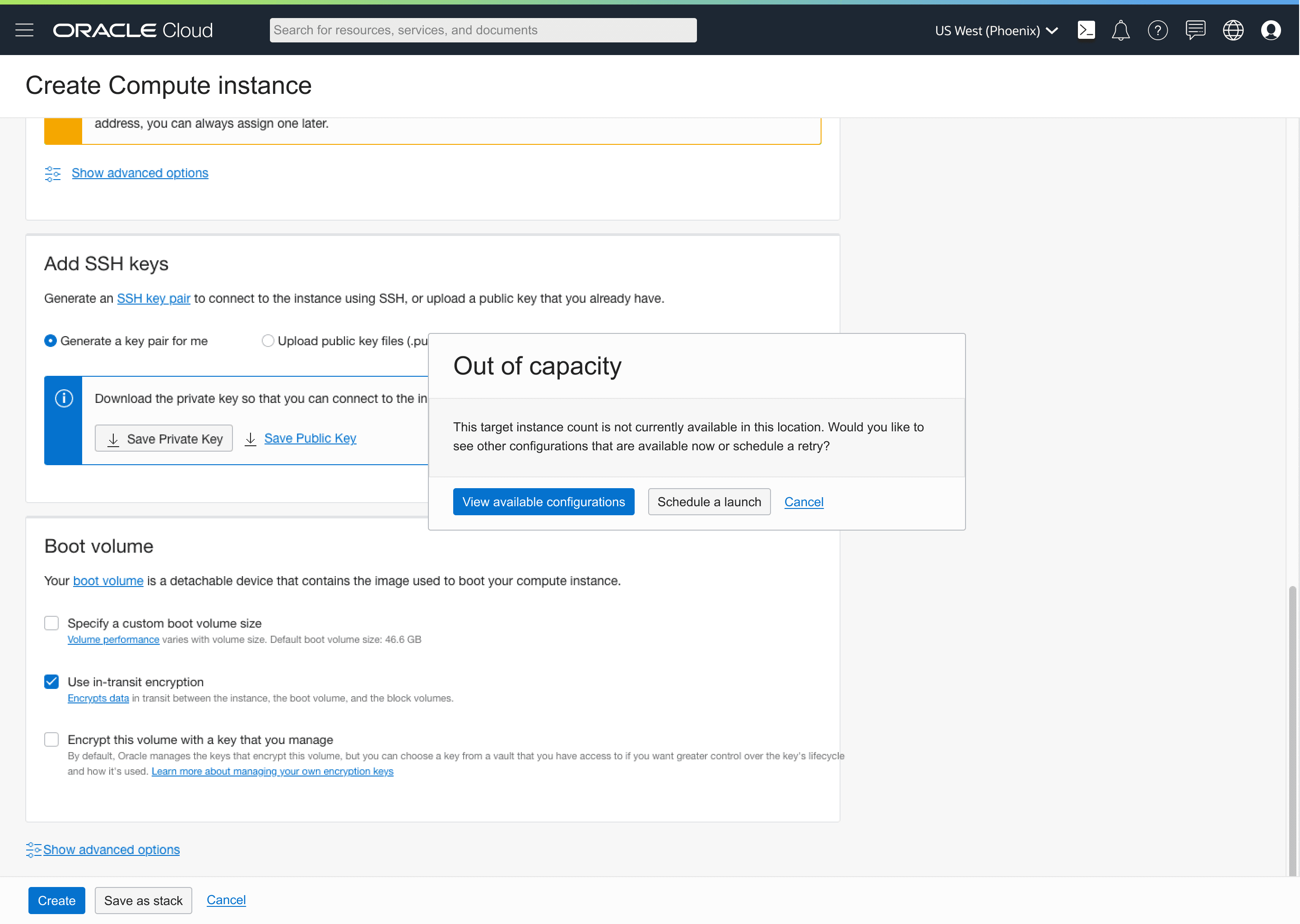
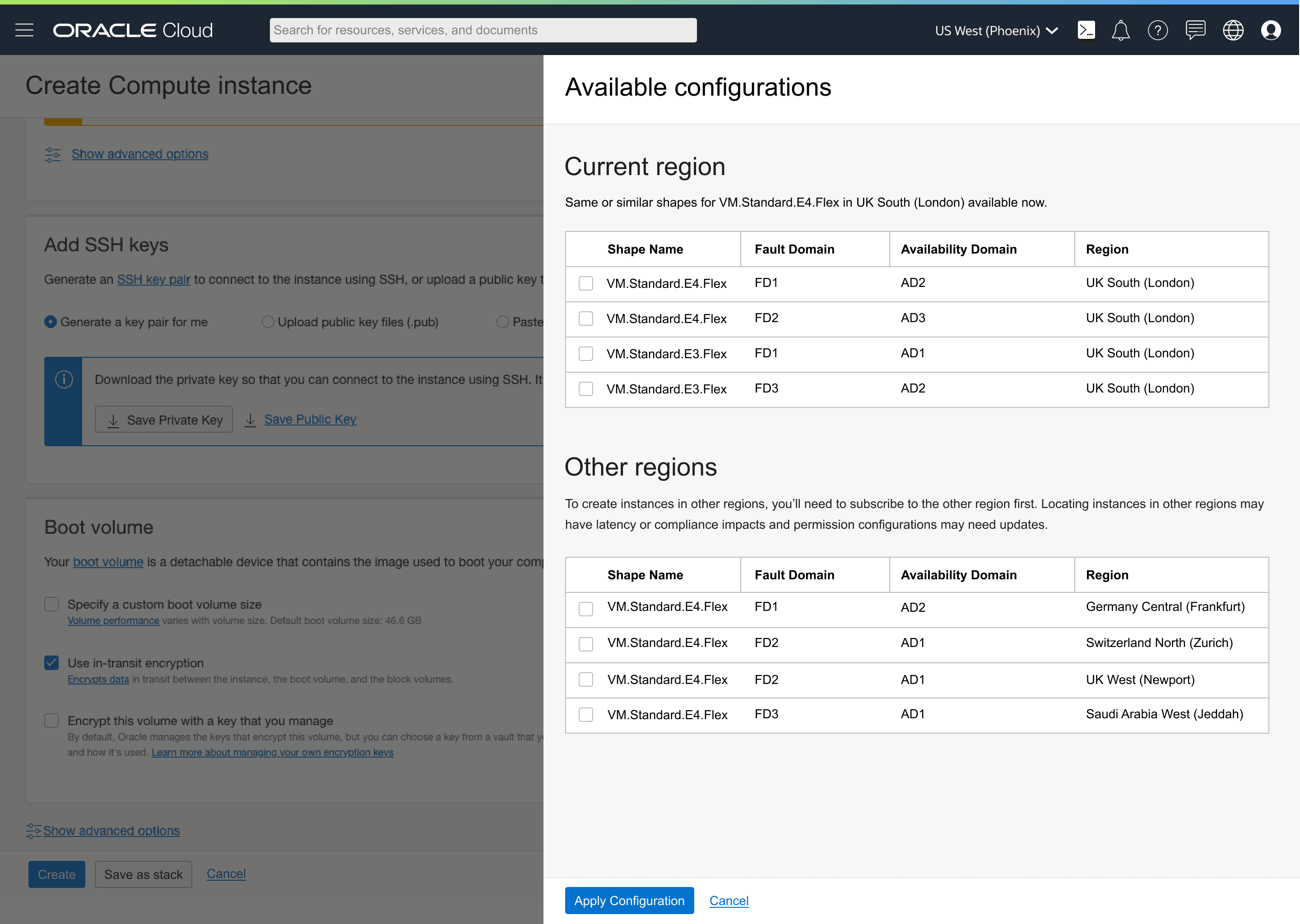
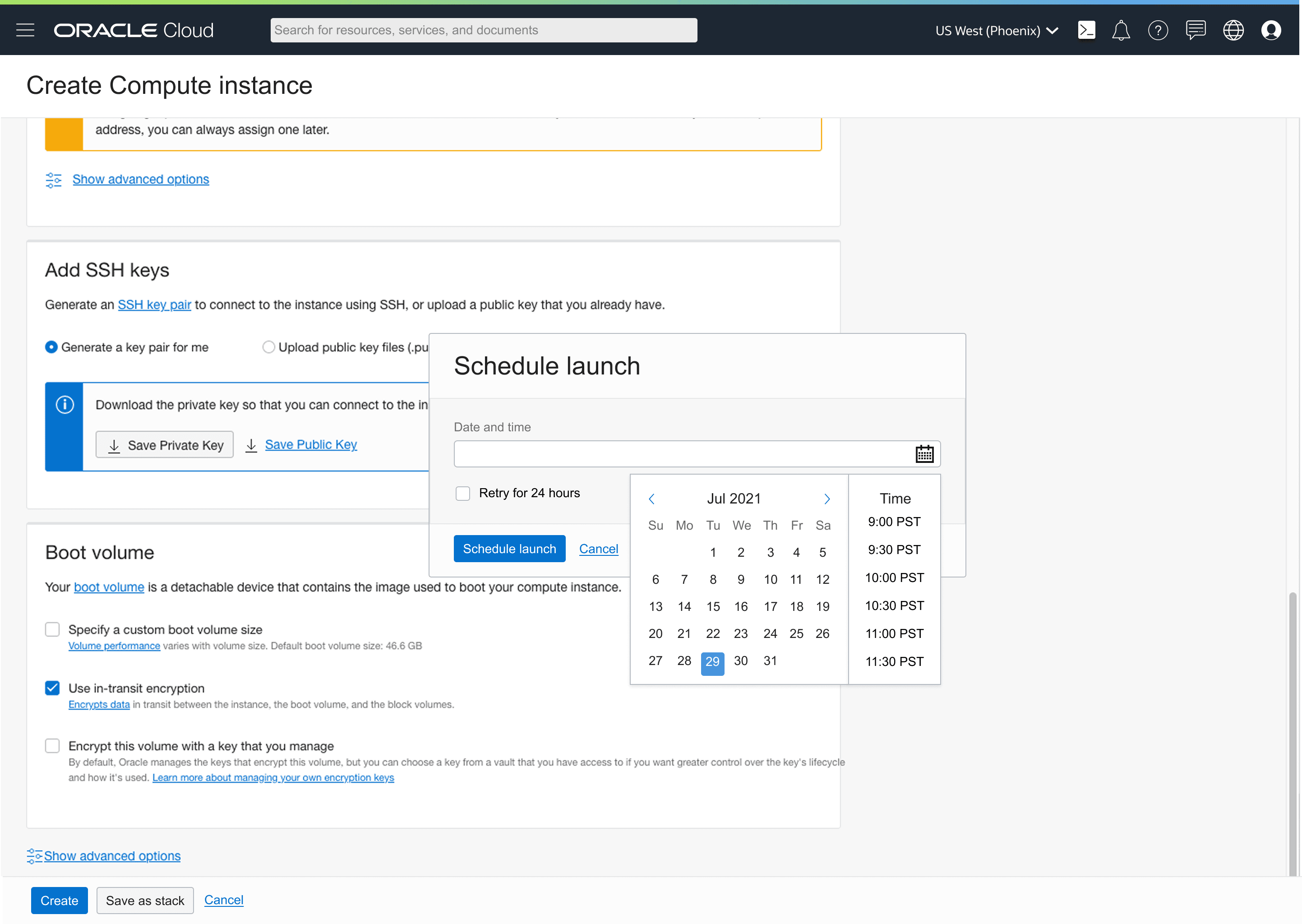
Let Oracle choose the availability domain default
CLI flags
--no-ad--no-region--upsize-limit 1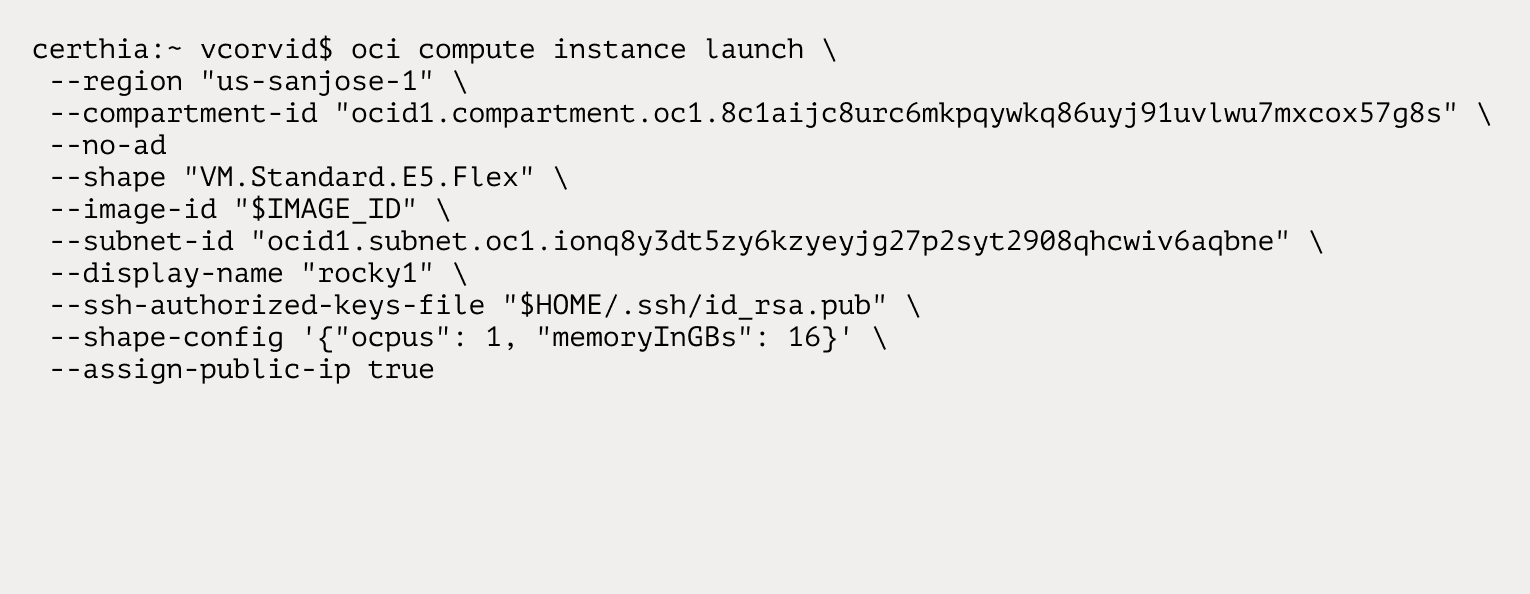
CLI command to create instance and let Oracle choose availability domain (--no-ad)